Mission 30: Building a Legacy — Preserving, Sharing & Publishing Your Research
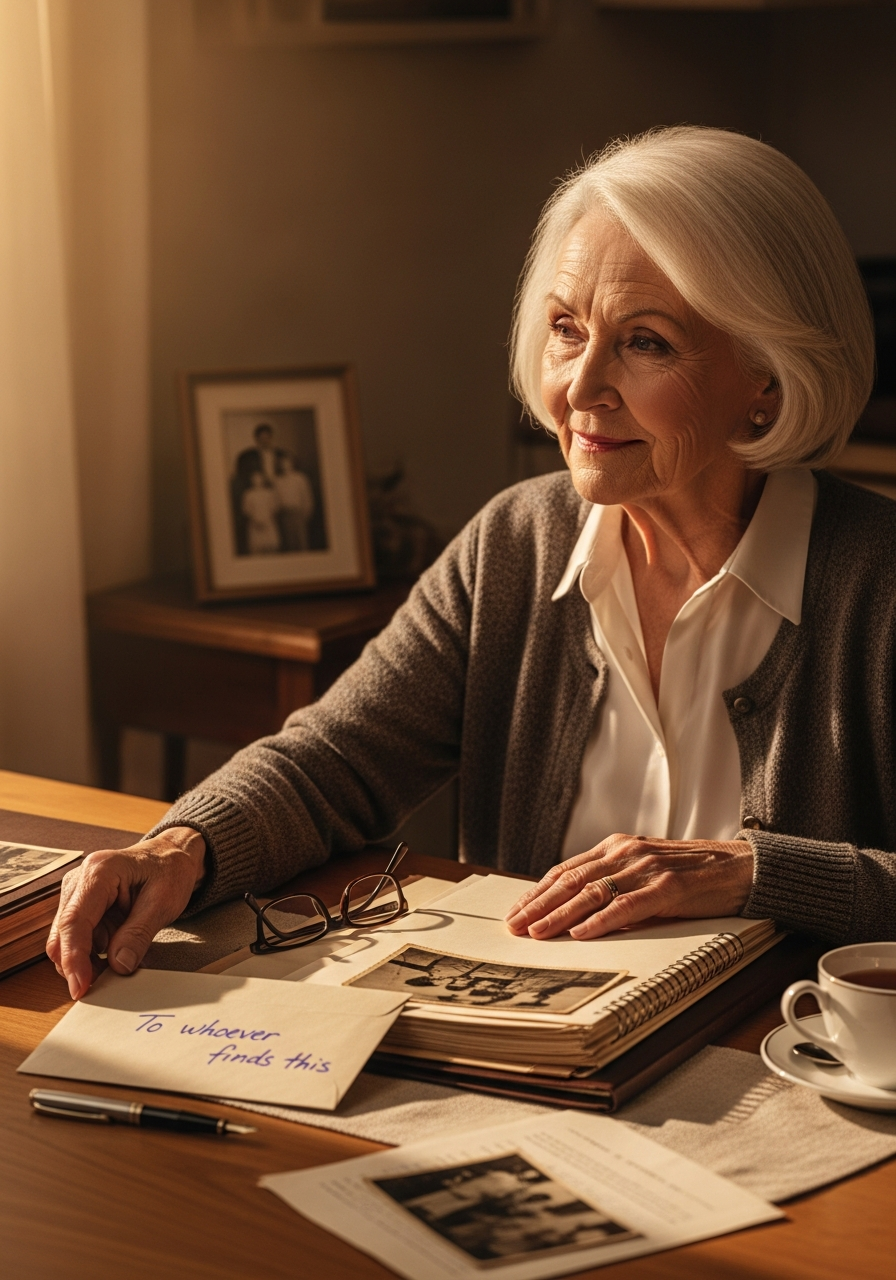
I’ve got an envelope on my kitchen table right now, and I don’t know whose name to write on it.
It’s for you — but not the you reading this. It’s for someone three or four generations down the line. Someone who’ll one day get curious the exact way you got curious, and go looking for the family, and find that somebody already did the hard part. I don’t know if they’ll have my nose or my stubbornness or neither. I don’t know their name. So the envelope just says To whoever finds this.
Here’s the thing I’ve come to believe after all these missions together: everything we do in this work is, eventually, a letter sent forward to a person we’ll never meet. Somebody wrote to me once — left me a Bible, a photograph, a name in a parish register — a hundred years back, without knowing my name either. And I’d hate for the trail to stop with me.
So this last mission isn’t about finding one more ancestor. It’s about finishing the letter — making sure everything you’ve found survives you, can be read by someone with none of your context, and reaches the people it’s meant for. Let’s get it ready to send.
Make Sure the Letter Survives
Start with the unglamorous truth: your research is only as safe as your worst day. A fire, a flood, a stolen laptop, a hard drive that simply stops one morning — any of those can erase years of work if you’ve only got one copy.
The rule that fixes this is the 3-2-1 rule, and it’s easier than it sounds: three copies of your data, on two kinds of media, with one copy off-site. In plain terms — the computer you work on (copy one), an external drive or USB stick (copy two, different media), and a cloud backup like Backblaze, Google Drive, or Dropbox (copy three, off-site by definition). Whatever disaster takes one shouldn’t be able to reach all three.
Two more things future-proof the letter. File formats matter more than you’d think — proprietary files can go unreadable as software changes, so save your master scans as TIFF (the archival standard) and your finished documents as PDF/A (the “A” is for Archival — it locks in fonts and formatting so a page looks the same in fifty years). And export a GEDCOM. That’s the universal language of family trees — whatever program you use, RootsMagic or Legacy or Ancestry or FamilySearch, a fresh GEDCOM export is a portable backup almost any genealogy software can open, even if yours vanishes tomorrow. GEDCOM 7 is the current standard, but honestly? Exporting in whatever version your software supports beats not exporting at all.
Backing up isn’t a one-time chore, it’s a habit. Tie it to a date you won’t forget — a birthday, New Year’s Day — and actually do it.
Make Sure the Letter Can Be Read
Now, a harder question than most researchers ask: could a stranger open your files and understand them?
Because that’s who inherits this. The person who ends up with your research may not know what a GEDCOM is, may not own your software, and definitely doesn’t know your private shorthand for that folder called “misc stuff FINAL v3 (real one).” Future-them doesn’t want clever. They want to open a folder and know exactly what’s inside without a decoder ring. Boring and obvious wins every single time.
A file-naming pattern that travels well: letters, numbers, hyphens, and underscores only — no spaces or oddball characters, since not every device handles them the same — in the shape YYYY-MM-DD_RecordType_Surname_Place. Something like 1920-04-12_Census_Maxfield_EmeryCoUT. Lead with the year and your files sort themselves in time order automatically. And a simple folder structure beats a perfect one: a top-level “Genealogy” folder, subfolders by surname, then by record type or place. The goal isn’t taxonomic elegance — it’s that a stranger could crack the system in about a minute.
Then write the one page that outdoes all the rest — the “If I’m Gone Tomorrow” document. A single sheet that says: where the master tree file lives, what software or website it needs, where the backups are, who has the passwords, and who in the family has ever shown a flicker of interest in continuing the work. Name explicitly which copy is the master, the one to trust if two versions disagree. This is the highest-leverage thing you can do for your heirs, and almost nobody does it. Be the one who does.
Choose How to Send It
Once it’s safe and legible, you get to decide how the letter goes out — and these aren’t either/or.
Print a book. Services like Lulu and Blurb take a PDF and print copies on demand, no minimum run, so family can order their own. Genealogy specialists like DiggyPOD and 48 Hour Books even offer archival binding that outlasts a glued paperback. Or write it serially. There’s a small, lively genealogy community publishing newsletters on Substack — including the Operation Granny Files companion newsletter — and one-ancestor-at-a-time, story-by-story, is far more sustainable than trying to write “the whole book” in one heroic sitting. Or contribute to the commons. FamilySearch’s shared Family Tree is one collaborative tree the whole world edits — add sourced facts there and you’re helping every future researcher, not just your own descendants. The one rule: only add what you’re confident is right, and always attach the source.
Most researchers end up mixing all three — a print book for the family, sourced facts for FamilySearch, a newsletter for the story behind the research. Three audiences, three formats, one body of work.
Mind What You Say About the People Still in the Room
One last responsibility before you hit publish, because family history includes the living.
The rule is simple to state: consent for the living, care for the recently gone. Identifying details about living people — ages, addresses, occupations — should only be shared in ways those people have actually agreed to. When in doubt, leave living relatives anonymous rather than assuming it’s fine.
DNA deserves its own pause. Your results implicate people who never tested — siblings, cousins, children — so get clear permission before you share match lists, check your testing company’s current privacy settings (they’ve been changing), and remember that a DNA discovery about someone else, an unexpected parentage result say, is not automatically yours to tell. And recently deceased people sit in a gray zone; even after death, information can still land on the living. Lean toward the same care you’d give a living person, and lean on family judgment over hard rules.
Turn all of that into a thirty-second gut check before you publish: Do I have permission from the living people I’ve named? Have I redacted anything sensitive about someone still here? Am I sharing DNA that isn’t only mine to share?
This Is Where You Write Yours Back
We’ve come a long way, you and I. Thirty missions ago, this was just a nagging curiosity and a name you couldn’t place. You learned to read a census, crack a will, date a photograph, break a brick wall, weigh the evidence. You’ve spent this whole journey learning to read the letters your ancestors left you.
This is where you write yours back.
Your mission this week: pick one thing from this piece and do it. Export a GEDCOM. Write the “If I’m Gone Tomorrow” page. Run the before-you-publish gut check on something you’ve been meaning to share. Not all of it — one thing. That’s how letters actually get written: a line at a time.
And when you’ve done it, you might find yourself curious all over again about where this whole thing started — which, as it happens, is right back at Mission 1. Funny how the trail loops around like that.
GRANNY SAYS: I don’t know your name yet, whoever you are, out there in the years ahead. But somebody wrote to me once without knowing mine — so I’m writing to you anyway. Seal the envelope. Send it forward. The trail doesn’t have to stop with you.